Navigation Overview

Navigation Overview
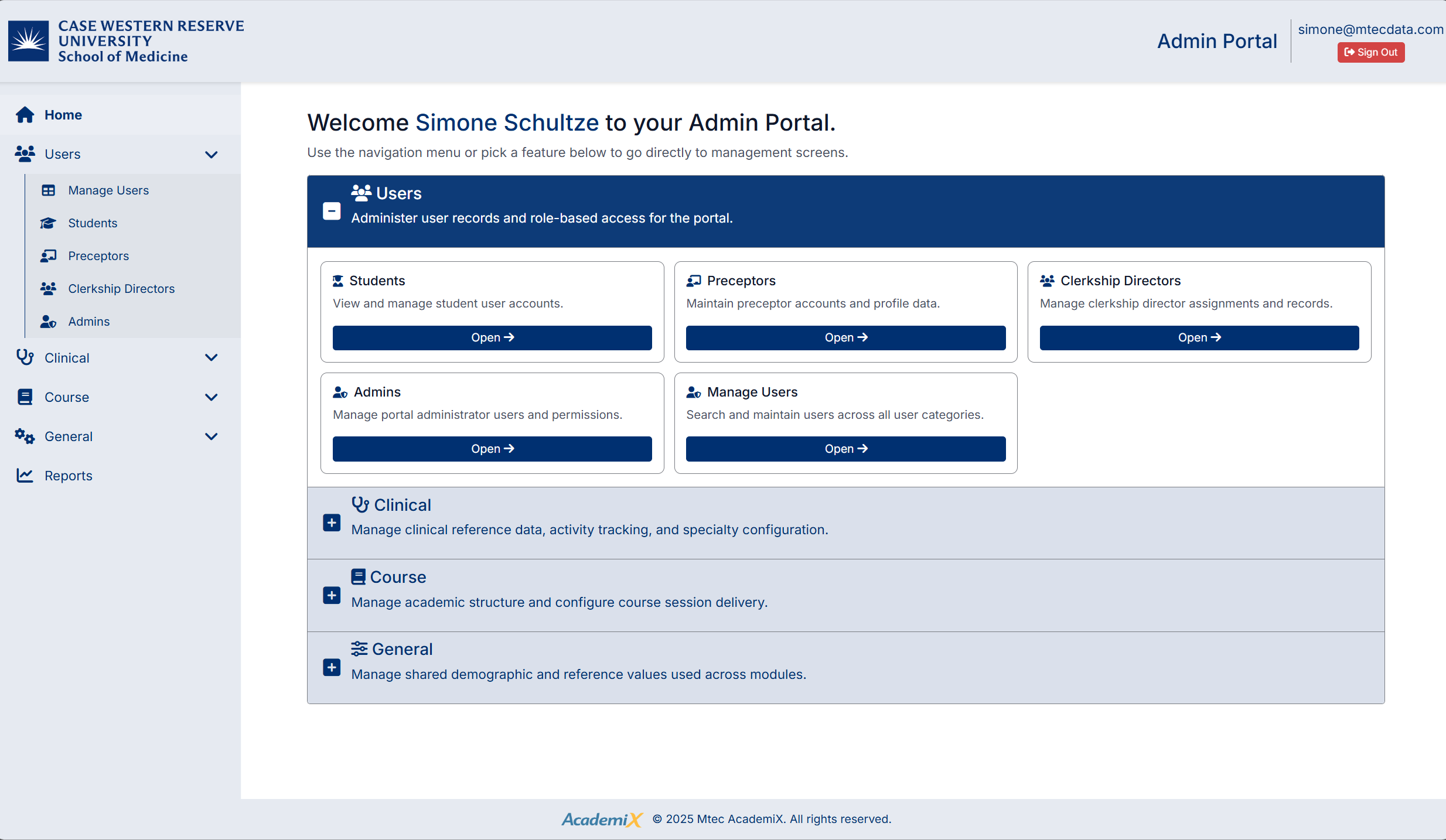
The Admin Portal provides two primary ways to navigate:
Navigation Menu
The navigation menu is located on the left-hand side of the screen and provides access to all modules within the system.
- Click a menu item to expand and view available options
- Select an option to open the corresponding management screen
- Use the Home option to return to the dashboard at any time
Dashboard Tiles
The dashboard displays tiles for the main modules, allowing quick access to commonly used areas.
Each tile represents a key functional area:
- Users
- Clinical
- Course
- General
Click a tile to navigate directly to that section.
User Information and Session Controls
In the top-right corner of the screen:
- Your logged-in username is displayed
- The Sign Out button allows you to securely exit the system
Created with the Personal Edition of HelpNDoc: Maximize Your CHM Help File Capabilities with HelpNDoc