Manage Campuses & Locations

Campuses & Locations
The Campuses & Locations section allows administrators to manage the clinical campuses and their associated locations used throughout the system.
This data defines where clinical activities, rotations, and assessments take place and is used across the Student, Preceptor, and Clerkship Director portals.
Campuses and locations are linked to preceptors and clerkship directors, which directly affects:
- What locations they are associated with in their respective portals
- Where students can log clinical activity
- How clinical data is organized and reported
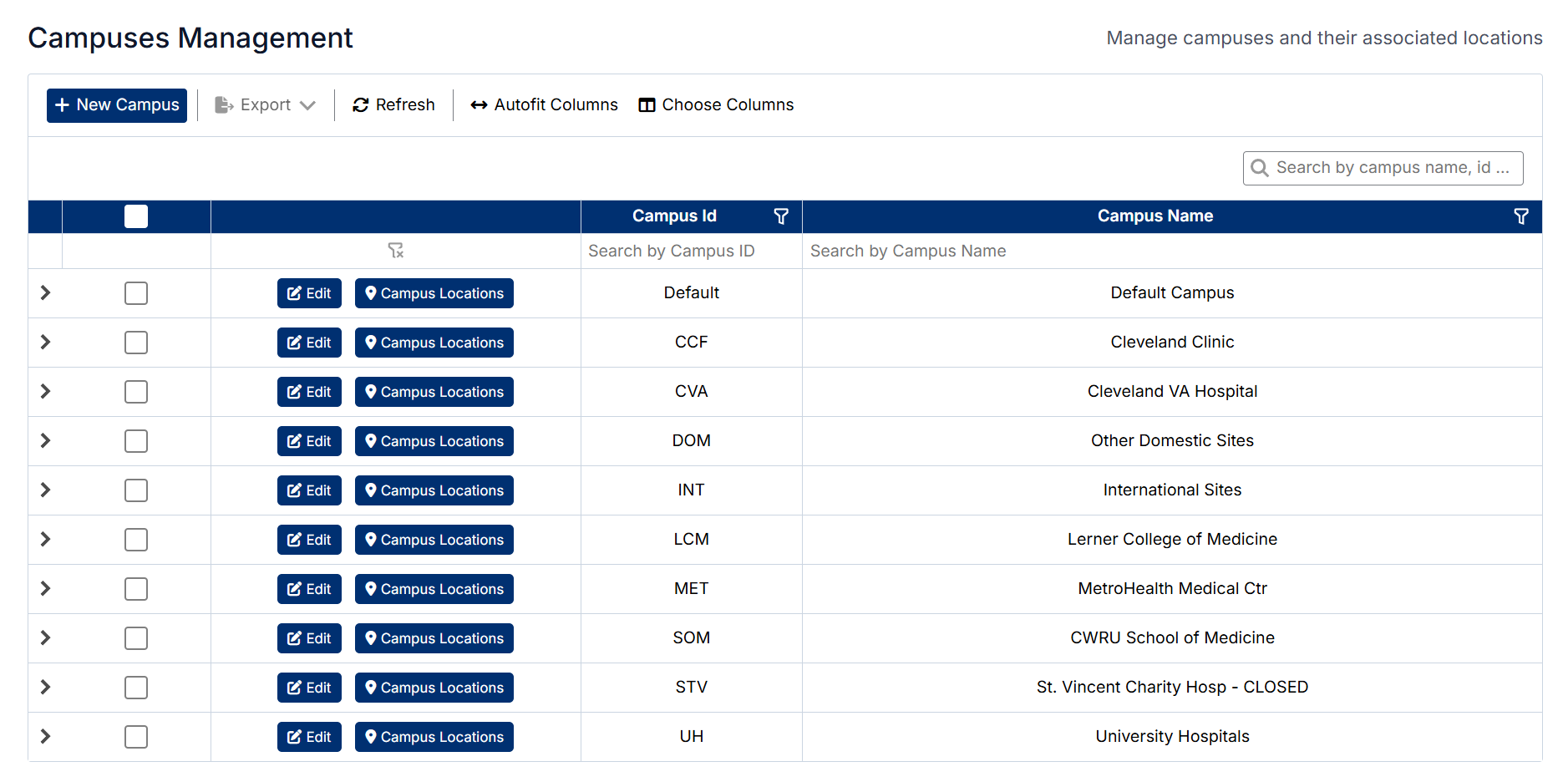
Campuses & Locations
The Campuses & Locations section allows administrators to manage the clinical campuses and their associated locations used throughout the system.
This data defines where clinical activities, rotations, and assessments take place and is used across the Student, Preceptor, and Clerkship Director portals.
Campuses and locations are linked to preceptors and clerkship directors, which directly affects:
- What locations they are associated with in their respective portals
- Where students can log clinical activity
- How clinical data is organized and reported
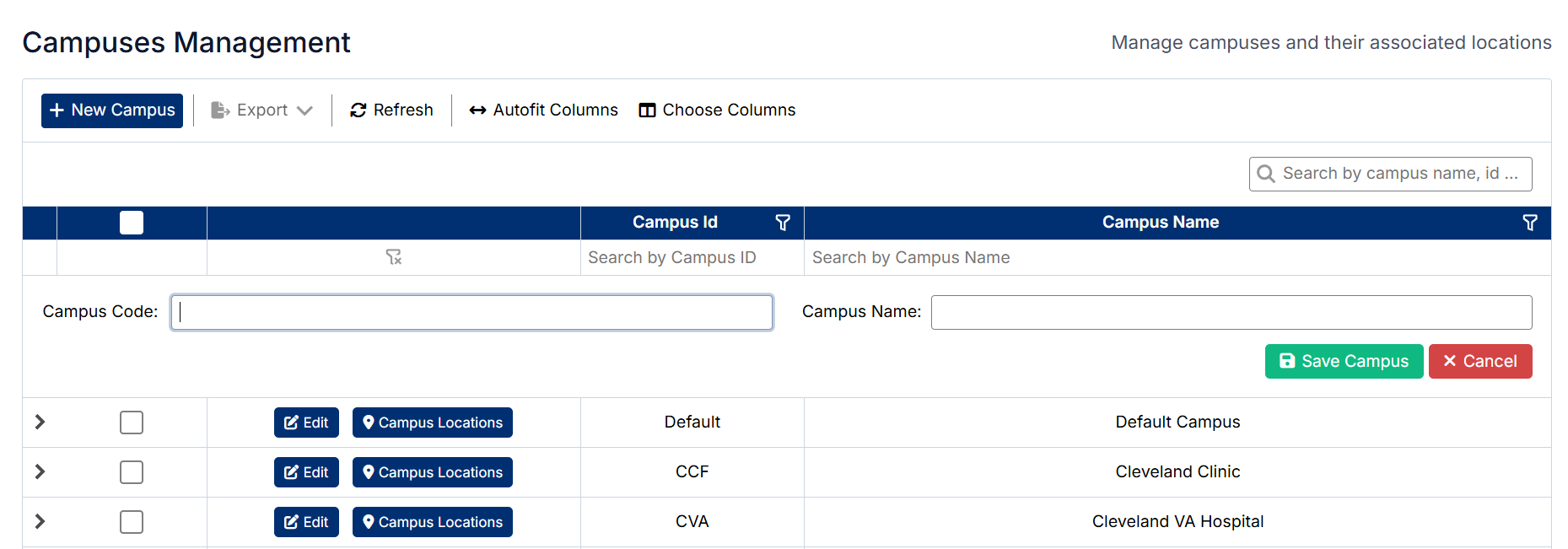
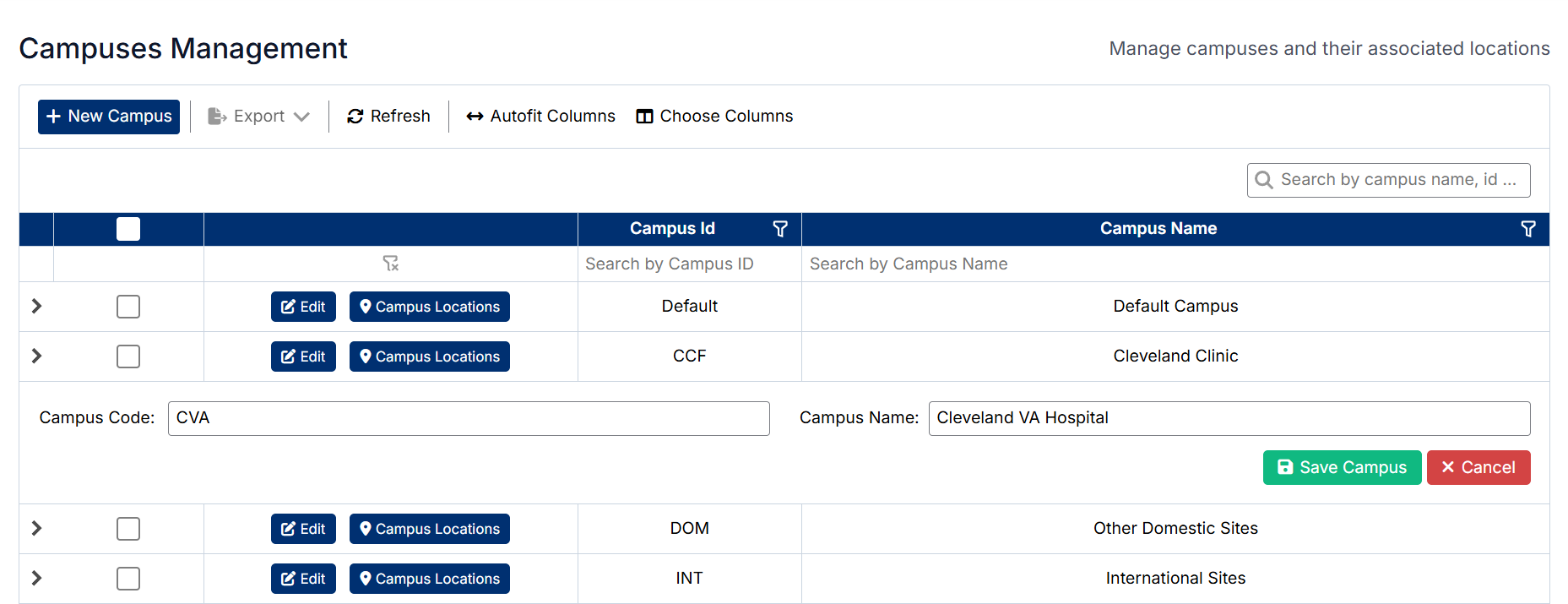
Editing a Campus
To edit an existing campus:
- Locate the campus in the list
- Click Edit next to the campus
- Update the required fields
- Save the changes
The updated information will be reflected in the list.
Deleting a Campus
To delete a campus:
- Locate the campus in the list
- Select the delete option (if enabled) or use available actions
- Confirm the deletion when prompted
The campus will be removed from the system.
Managing Campus Locations
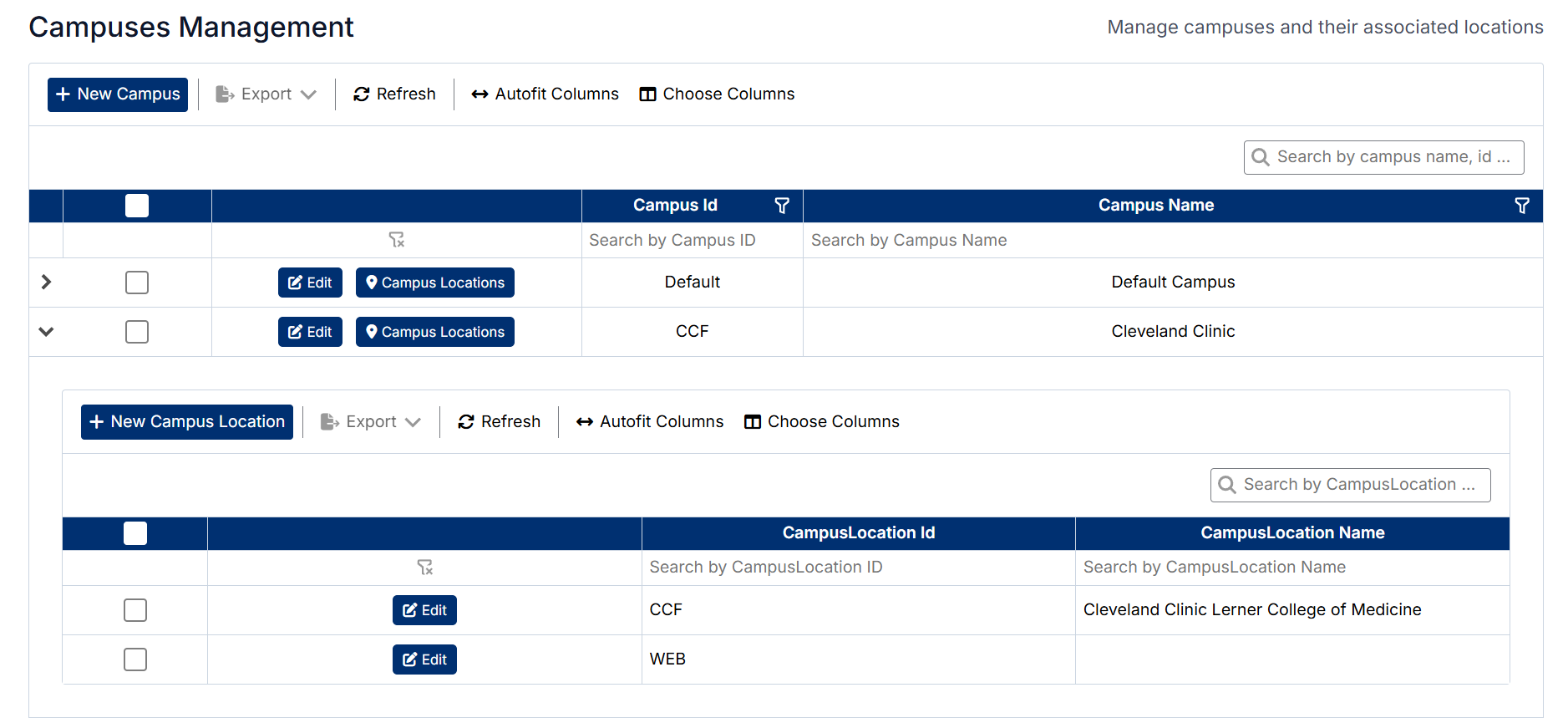
Each campus can have one or more associated locations.
To manage locations:
- Locate the campus in the list
- Click Campus Locations
- Add, edit, or remove locations as required
Important Notes
- Campus IDs must be unique
- Campuses and locations are linked to preceptors and clerkship directors, affecting their available options and assignments
- This data is used across clinical workflows, including student activity tracking and reporting
- Deleting a campus may impact associated data within the system
Created with the Personal Edition of HelpNDoc: Produce Kindle eBooks easily